Table of Contents
Organizing business paperwork can be tough, but it’s manageable with the right steps. Assess your current document management, sort documents into categories, digitize and streamline with digital tools, and maintain your system regularly. Train your team, automate where possible, and ensure compliance with legal requirements for efficiency and trust.
This article will teach you how to tidy up your business paperwork like a pro, making your workspace neat and your work smoother.
Assess Your Current Situation
Before diving into the organization process, take a moment to assess your current situation. Identify the types of paperwork you deal with regularly and understand your pain points. Are there specific documents that frequently go missing? Do you find certain types of paperwork more challenging to manage than others? Understanding your unique challenges will help you tailor an organization strategy that suits your needs.

Image source: https://cdn.pixabay.com/photo/2023/09/07/16/15/ai-generated-8239428_1280.jpg
Sort and Categorize
To organize your paperwork, start by collecting all your documents in one place. Sort them into main groups like money-related papers, client details, company memos, and daily operations. Then, break these groups into smaller sections. For example, money-related papers can be divided into invoices, receipts, and tax records.
Use labels and color-coding for easy identification and decide on a physical or digital filing structure. Ensure consistency by always filing documents in the appropriate category and regularly updating your system.
Purge Unnecessary Documents
To declutter effectively, review each pile of documents and determine what is essential to keep. Make a simple rule for how long it takes to keep different types of papers, like financial records and contracts.
Throw away papers you don’t need anymore, and shred any sensitive information to keep it secure. Regularly update and purge documents to maintain an uncluttered and efficient workspace.

Image source: https://pixabay.com//?utm_source=link-attribution&utm_medium=referral&utm_campaign=image&utm_content=7382940
Digitize Your Paperwork
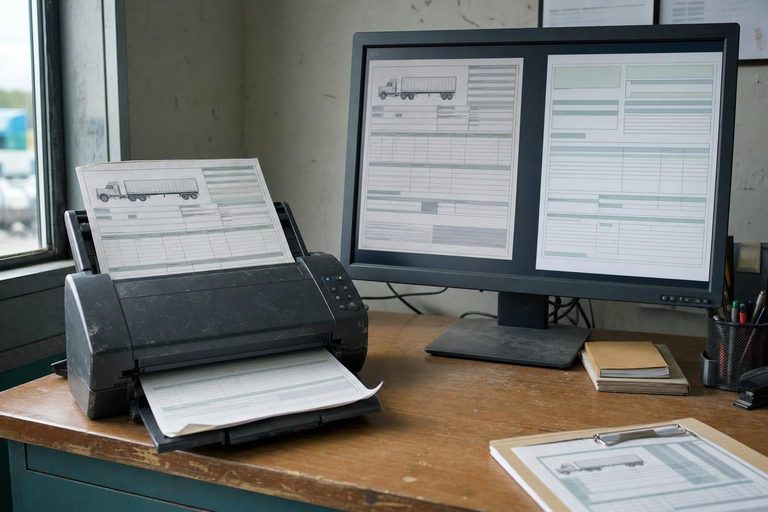
Digital onboarding solutions can help in digitizing your paperwork enhances organization, accessibility, and efficiency. Start by collecting all your papers and use a good scanner to make clear digital copies. Save these files in a neat folder system on your computer or in cloud storage, just like how you organize your physical files.
Consider using document management software for advanced features like indexing and tagging. Make digitization a regular routine to keep your system up-to-date and efficient. Invest in a reliable scanner and establish a routine for scanning documents.
Implement a Filing System
Whether you’re using a regular filing cabinet or digital folders on your computer, consistency is key. Give each folder and subfolder clear names and ensure everyone knows how they work. Develop a filing system based on your sorted categories and subcategories. Create a filing guide or manual for your team to ensure consistency.
Set Up a Regular Maintenance Schedule
Organizing your paperwork requires regular maintenance to stay efficient. Schedule regular intervals (weekly, bi-weekly, or monthly) to review and update your filing system. Tasks include reviewing new documents, updating files, scanning papers, and shredding unnecessary documents.
Use a checklist to cover all tasks, assign responsibilities if working in a team, and set reminders to stay on track. Regularly evaluate and adjust your routine to keep it effective. Document the process for consistency and ease of use.
Train Your Team
Create accessible training materials such as manuals and video tutorials. Emphasize consistency and attention to detail, and keep the team updated on any changes.
Offer ongoing support and regular refresher training sessions. Conduct regular audits to track compliance and address any issues promptly. This approach will help maintain an organized and efficient document management system.
Utilize Automation
Automation saves time and effort in managing paperwork. Optical character recognition (OCR) makes scanned documents searchable, while workflow automation software simplifies tasks like moving and approving documents. Use these tools with your document system to automatically do things like sorting, filing, and entering data. Make sure to regularly check and maintain these automated processes to keep everything working smoothly.
Stay Compliant
Ensure your document management practices comply with legal and regulatory requirements specific to your industry. Understand the necessary retention periods and implement robust security measures to protect sensitive information, especially if you’re handling big data.
Develop a comprehensive compliance policy, regularly train employees, and conduct internal and external audits to maintain adherence. Keep detailed records of compliance efforts and stay updated on regulatory changes.
Conclusion
Organizing business paperwork doesn’t have to be hard. Start by looking at how you currently manage documents and then sort them into groups like financial records, client information, and contracts. Embrace digitization by scanning physical documents and saving them in organized folders on your computer. Train your team to use the system and follow legal rules by setting up strong security measures and doing regular checks. Keeping things consistent and providing ongoing support is important for staying organized and efficient. This will help your business run smoothly, boost productivity, and create a culture of organization.