



Table of Contents
A scraping API can take proxy rotation, browser rendering, and blocking problems off your team’s plate. For e-commerce catalogs and real estate listings, the right choice depends on your targets, output needs, and how you want to manage costs.
Scrape.do is my top pick for teams that want a managed web scraping API for scalable data collection. The alternatives below suit different workflows, from recurring retail monitoring to marketplace scrapers and LLM-ready output.
Key Takeaways
- Scrape.do is my top overall pick for managed scraping infrastructure and prebuilt JSON endpoints.
- Zyte API suits teams that want spending controls; Oxylabs suits per-result budgeting and procurement.
- Bright Data fits teams looking for a broad prebuilt scraper catalog.
- ScraperAPI suits straightforward integrations; Apify fits workflows built around marketplace Actors.
- ScrapingBee suits teams that prefer automatic configuration and markdown output.
How I Evaluated These Web Scraping APIs
I compared features for three workloads: JavaScript-heavy retail pages, search results, and protected real estate listings. This is a feature-based review, not an independent performance benchmark.
I weighted reliability on protected targets and success-based or transparent per-result billing most heavily. I also considered free tiers, prebuilt parsers, JSON output, concurrency, async modes, cost controls, geotargeting, SDKs, LLM integrations, and support.
For e-commerce, I’d include both product and category pages in a pilot. For real estate listings, I’d check pagination and location filters so the sample reflects the work the eventual pipeline must do.
1. Scrape.do

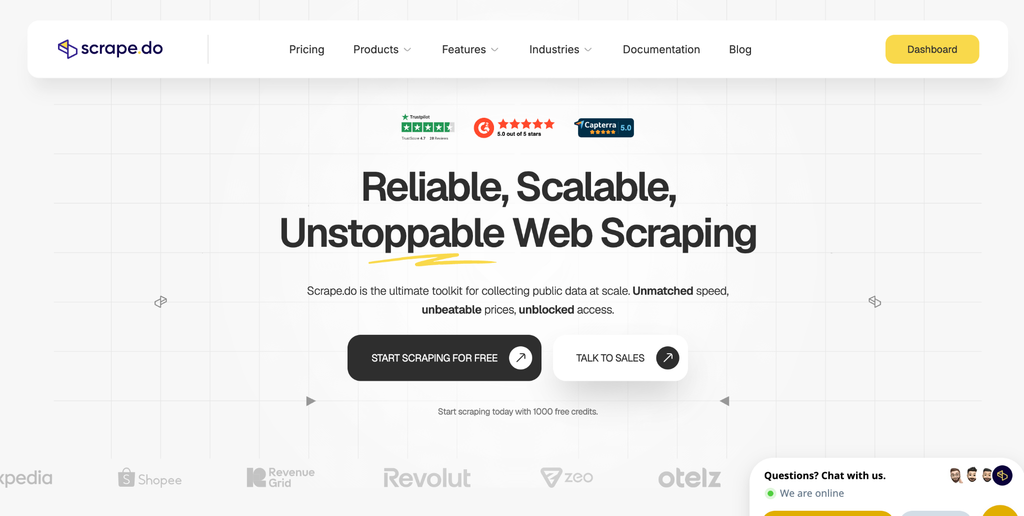
Scrape.do combines managed web access with structured endpoints for supported targets, including Amazon, Google Shopping, Google Maps, and Google Flights.
Scrape.do Pros
- Success-based billing, with failed requests not consuming credits
- Ready Scraper APIs return parsed JSON for supported targets
- Anti-bot and CAPTCHA handling for protected sites, with JavaScript rendering
- Automatic proxy rotation and geo-targeting inside the API
- Asynchronous scraping for distributed, high-volume jobs
- 1,000 free credits at signup, with no credit card required
- Support handled by engineers, with a reported average response time under five minutes
Scrape.do Cons
- Standalone Proxies and Scraping Browser are still listed as Coming Soon
- Prebuilt Ready API coverage may not include every niche target
My Experience With Scrape.do
What stands out to me is the infrastructure focus: rotation, rendering, and anti-bot handling sit behind the API. That gives a data team fewer moving parts to maintain. Scrape.do reports a 99.98% success rate, a vendor-published figure. For recurring listings or retail jobs, it’s a practical way to keep attention on usable data.
I particularly like the Ready Scraper approach. Parsed JSON can reduce selector maintenance where an endpoint covers your target. I’d still validate field completeness and schema consistency before scheduling a production run.
Scrape.do Pricing
Success-based billing makes budgeting more predictable, since only successful requests use credits. I’d use the 1,000 free signup credits to check representative targets, then confirm current plan limits before committing.
2. Zyte API
Zyte API suits teams that want request handling and spending controls in one place.
Zyte API Pros
- Automatic technology selection, with website-based pricing tiers
- Charges only for successful responses
- HTTP and browser automation through one API
- Scrapy ecosystem, SDKs, spending alerts, and limits
Zyte API Cons
- Per-site tiers make estimates more involved
- Some advanced features add usage-based costs
My Experience With Zyte API
I like the combination of HTTP and browser workflows when a project spans different site types. Spending limits are useful for keeping a pilot contained. The trade-off is that forecasts need a representative request sample, not just a monthly URL count.
Zyte API Pricing
Check the current website tiers and any feature-based charges together. Success-only billing helps, but the final estimate depends on your target mix.
3. Oxylabs Web Scraper API
Oxylabs is worth considering when procurement needs a clear per-result model for recurring collection.
Oxylabs Pros
- Target-specific rates that distinguish rendering needs
- Scheduler and custom parsing options
- AI-assisted OxyCopilot
- Enterprise-oriented support
Oxylabs Cons
- Pricing varies across targets and rendering options
- Paid plans start with a monthly commitment, so check the fit for smaller workloads
My Experience With Oxylabs
I appreciate a pricing structure that can be mapped to a recurring job. The scheduler and parser are relevant when collection repeats on a timetable. Before estimating costs, I’d check how many results each target and rendering option allows per plan.
Oxylabs Pricing
Review the current target-specific rates and trial terms. Oxylabs bills per successful result, so include rendering choices in your estimate before comparing providers.
4. Bright Data Web Scraper API
Bright Data combines a broad prebuilt scraper catalog with other web data products.
Bright Data Pros
- Prebuilt scrapers with parsing and geographic targeting
- JavaScript rendering and managed proxy handling
- Webhook delivery for structured output
Bright Data Cons
- Product breadth creates a learning curve
- Pricing differs across its scraper, unlocker, and dataset products
My Experience With Bright Data
I’d start by checking whether a ready-made scraper covers the exact target and fields I need. The catalog can reduce parsing work, but choosing the right product takes time. JSON or CSV delivery is helpful once that choice is settled.
Bright Data Pricing
Check the pricing page for the specific scraper or API, rather than assuming the same terms apply across the platform. Confirm the delivery format and any trial allowance.
5. ScraperAPI
ScraperAPI focuses on straightforward URL-in, data-out integrations for teams building an initial pipeline.
ScraperAPI Pros
- Simple request format and clear documentation
- Rendering, proxy rotation, and auto-parsing options
- Higher-concurrency options for larger jobs
ScraperAPI Cons
- Premium features and domains can multiply credit usage
- Lower tiers limit geographic targeting to the US and EU
My Experience With ScraperAPI
The simple request shape appeals to me for a proof of concept. It keeps the integration focused on sending a URL and handling the response. I’d test premium domains early, since a working prototype doesn’t reveal the eventual credit budget by itself.
ScraperAPI Pricing
Compare plans by request volume, concurrency, and geographic coverage. Map feature multipliers to your actual targets before treating a headline credit allowance as a request count.
6. Apify
Apify combines a marketplace of ready-made scraping programs, called Actors, with a developer platform.
Apify Pros
- Actors for target-specific collection workflows
- API access, schedules, and webhooks
- Event-based pricing on supported Actors
Apify Cons
- Platform usage and Actor charges complicate estimates
- Residential proxy bandwidth is billed separately
My Experience With Apify
I’d look here when an existing Actor closely matches the target. Scheduling and webhooks make that approach practical for repeat jobs. The important check is whether the Actor’s output fits your pipeline without extra cleanup.
Apify Pricing
Budget for the selected Actor alongside compute, storage, and any proxy usage. Check that Actor’s billing rules rather than assuming every marketplace program charges the same way.
7. ScrapingBee
ScrapingBee emphasizes browser rendering and automatic configuration, with output options useful for LLM pipelines.
ScrapingBee Pros
- JavaScript rendering enabled by default
- Auto Mode selects rendering, proxy, and stealth settings
- AI extraction and markdown output
ScrapingBee Cons
- Default JavaScript rendering raises per-request credit cost unless it’s switched off
- Stealth proxy requests use significantly more credits
My Experience With ScrapingBee
I like the reduced configuration work for teams handling varied targets. Auto Mode can take several settings decisions out of the request workflow. Markdown output is relevant for LLM ingestion, although I’d still check whether it preserves the page content the application needs.
ScrapingBee Pricing
Check the current credit cost for each mode. Auto Mode bills based on the configuration that succeeded, so test representative pages before estimating monthly usage.
Conclusion
Scrape.do is my top pick for teams building scalable e-commerce and listings pipelines around protected websites. Its combination of managed access, success-based billing, and prebuilt JSON endpoints makes it a practical starting point, provided the relevant endpoints cover your targets.
Zyte API is the runner-up for spending controls, while Oxylabs suits per-result planning and enterprise procurement. Apify is worth considering when a marketplace Actor already matches the job, and ScrapingBee suits teams that prefer automatic settings.
Before committing, run a representative pilot with the same URLs, locations, and output requirements. Compare usable records, missing fields, and effective credit usage, not just successful responses. Scrape only data you’re authorized to collect, and respect privacy obligations and site terms.
Disclaimer: This article is for informational purposes only and is based on publicly available information and vendor-published claims. Pricing, features, credit systems, success rates, free trials, and product availability may change, so readers should verify current details directly with each provider before making a purchasing decision. The comparisons and recommendations reflect the author’s stated evaluation criteria and experience and are not independent performance benchmarks or guarantees. Actual costs and results may vary depending on target websites, request volume, geographic requirements, rendering needs, and anti-bot protections. Users are responsible for ensuring that their scraping activities comply with applicable laws, privacy requirements, intellectual-property rights, website terms of service, and other applicable restrictions, and should not collect personal or restricted data without appropriate authorization or legal basis.