



Table of Contents
A spreadsheet is useful for planning events, but sharing it as a calendar saves everyone from retyping dates. I compared seven CSV and spreadsheet converters, from downloadable ICS files to hosted subscription links. Calfeed is my top pick for schedules that change; the file-based options suit one-time imports.
How I tested
I used a Google Sheets export with mixed dates, all-day and multi-day events, and long descriptions. I compared input support, column mapping, previews, validation, privacy, output type and imports into Apple Calendar, Google Calendar and Outlook.
Calfeed’s pricing and file limits come from its current published pages. The other tools’ terms may have changed, so confirm before paying.
1. Calfeed

Calfeed pros
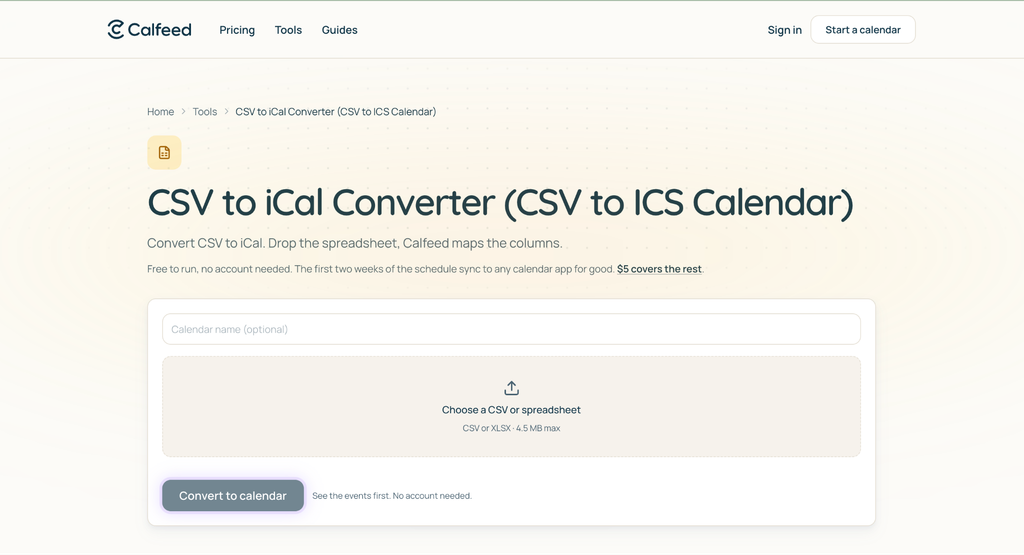
- Turns CSV uploads or pasted spreadsheets into a hosted calendar link people subscribe to in Apple Calendar, Google Calendar or Outlook
- No account needed to try it, and the share link is permanent
- Fits Google Sheets rosters, school schedules, sports seasons, and app exports
Calfeed cons
- The free window covers the first two weeks of the schedule
- Editing is free for 7 days after you create a calendar, then another credit buys 7 more
- Updates follow each subscriber app’s refresh schedule
- Uploads are capped at 4.5 MB and must be CSV or XLSX
My experience with Calfeed
I dropped a Google Sheets export into Calfeed’s CSV to Calendar converter, let it map the columns, and shared one stable link. My mixed date formats worked in this test, though I still checked the preview. Later edits reach subscribers without another file to distribute, free for the first 7 days, and changes in the original spreadsheet don’t sync back on their own.
Calfeed pricing
Pricing is pay per calendar with no subscription. Every calendar is free for its first two weeks, and $5 or 1 credit covers the whole schedule. Credits never expire, and larger packs lower the per-credit price.
2. Csvtoics.app
csvtoics.app pros
- Browser-side conversion without uploading your file
- Accepts CSV and Excel files
- Header detection, previews, and per-row validation
csvtoics.app cons
- One-off ICS output, not a hosted feed
- No native recurrence in the free flow
My experience with csvtoics.app
Header detection picked up my columns, and validation flagged two ambiguous dates. The download imported into Apple Calendar and Outlook on the web. For changed schedules, I had to regenerate and redistribute the file.
csvtoics.app pricing
Core conversion is described as free, with an optional paid recurrence add-on. Confirm current terms before using that feature.
3. Excel2Cal
Excel2Cal pros
- Supports .xlsx, .xls and .csv files
- Produces ICS or Google Calendar CSV
- Browser-side processing with column mapping and a preview
Excel2Cal cons
- No hosted feed
- Recurring events require duplicate spreadsheet rows
My experience with Excel2Cal
I found this useful when I needed both ICS and Google Calendar CSV output. Manual mapping took longer than header detection but made the field choices clear. Both outputs imported cleanly in my test.
Excel2Cal pricing
Listed as free, with no account required. Confirm current access and limits before a large conversion.
4. CSV-to-ICS Converter
CSV-to-ICS Converter pros
- Offline Windows desktop conversion
- Maps custom column headers
- Ultimate edition adds watched-folder automation and service mode
CSV-to-ICS Converter cons
- Windows only
- Free Edition lists a 50-event cap and adds a description note
My experience with CSV-to-ICS Converter
I’d choose this for offline CSV conversion or repeated exports on Windows. Watched-folder automation offers a different workflow from browser tools, and it cuts the manual data entry that repeated exports usually create, though the free cap is restrictive for a full season.”
CSV-to-ICS Converter pricing
The described options include Free, Pro, and Ultimate editions. Check current license prices and which edition includes automation.
5. iCal Converter
iCal Converter pros
- Browser-side conversion
- Recognizes Outlook and Google-style headers
- Includes validation, repair, and merge utilities
iCal Converter cons
- No hosted feed
- Recurrence requires manual handling
My experience with iCal Converter
I appreciated the instructions for checking the browser’s Network tab for uploads, and saw no requests during conversion. The resulting ICS imported into all three calendar apps in my test.
iCal Converter pricing
Listed as a free browser tool. Recheck availability and limits before relying on it for repeated conversions.
6. CalendarMap
CalendarMap pros
- Browser-based conversion with automatic field mapping
- Basic validation before download
CalendarMap cons
- Conversions above the free cap require a paid plan
- No hosted calendar feed
My experience with CalendarMap
Field mapping was mostly automatic, and validation flagged a missing end time in my sample. I’d still inspect each date column before downloading the ICS, especially with mixed regional formats.
CalendarMap pricing
The described free tier allows 2,000 events per conversion. Confirm current caps and paid-plan terms before processing larger spreadsheets.
7. Smart Calendars AI
Smart Calendars AI pros
- Accepts Excel, CSV, and Sheets exports
- Publishes a persistent subscription link and public calendar page
- Paid plans offer branded pages
Smart Calendars AI cons
- Sign-up required to publish
- Periodic refreshes, not continuous updates
- Monthly billing for paid plans
My experience with Smart Calendars AI
I’d consider this when a public calendar page matters alongside the subscribe link. Account setup and recurring billing make it a bigger commitment for a single season.
Smart Calendars AI pricing
The reviewed plans include a free testing tier and monthly subscriptions. Verify current tiers and prices before publishing.
Conclusion
Calfeed is my top pick for turning a CSV or pasted spreadsheet into a calendar people can subscribe to. Its live link suits rosters and season schedules that need later edits, and you can try the workflow without creating an account.
For a static file, choose csvtoics.app for browser-side conversion or Excel2Cal when you also need Google Calendar CSV. CSV-to-ICS Converter suits offline Windows workflows. Whichever route you choose, check dates, time zones, and all-day events before sharing.