

Table of Contents

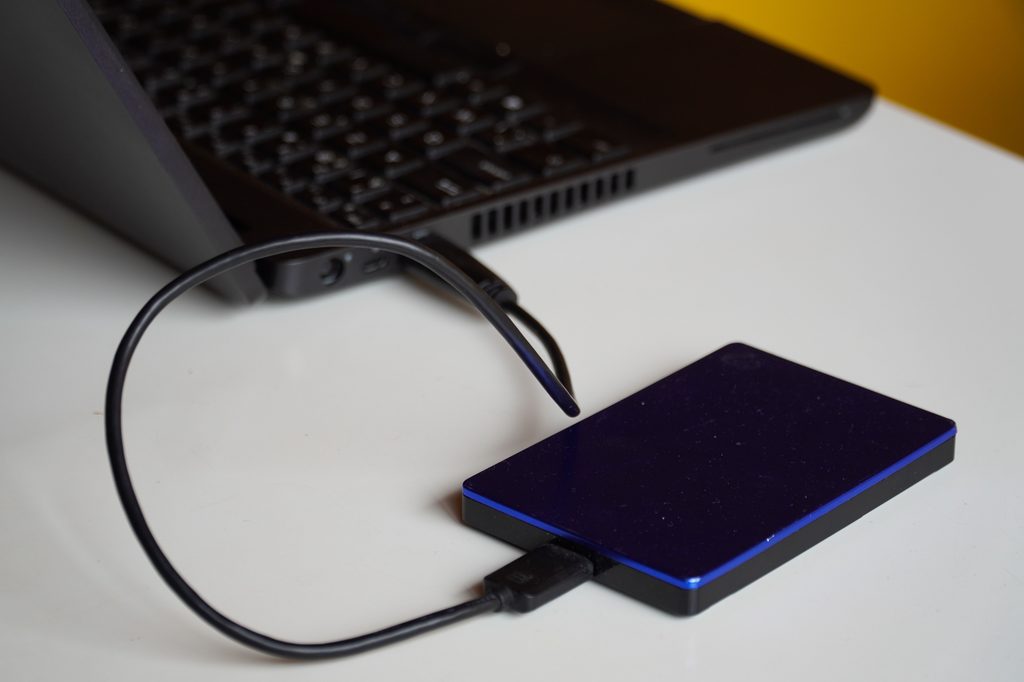
In the first quarter of 2026, worldwide spending on external enterprise storage systems jumped 22.7% year over year to roughly $9.2 billion, according to IDC figures reported by industry trade press. Flash arrays led the surge, up nearly 33% on their own, as organizations that had put off storage refreshes during the AI infrastructure buildout finally started swapping out aging gear. Every one of those swaps produces a pile of decommissioned drives that used to be an asset and is now, depending on a handful of specific factors, either worth real money or worth almost nothing.
That gap is the whole story. A stack of five-year-old consumer SATA drives pulled from desktops and a stack of enterprise SAS drives pulled from a storage array can look similar sitting in a box. Their resale value is not remotely similar, and guessing by capacity alone leaves money on the table more often than not.
The Short Answer: Value Moves Fast, and There Is No Fixed Price List
There is no stable published price sheet for used drives, and anyone quoting a firm dollar figure without seeing the actual hardware is guessing. Secondary-market pricing tracks new-drive pricing, component costs, and demand cycles, all of which shift month to month. Component inflation across NAND flash, HDDs, and DRAM was still pushing prices upward through mid-2026, with relief not expected until new fabrication capacity arrives closer to 2027, and used-drive values tend to follow new-drive prices with a lag of a quarter or two. That is why the value guidance here is deliberately relative: which drives sit above or below others, not what any of them will fetch on a specific Tuesday.
Five Factors That Actually Set the Price
Buyers, whether resellers, ITAD companies, or marketplace shoppers, price a used drive against the same handful of variables every time.
Capacity: the biggest single lever, though not a straight line. A 16TB enterprise drive is worth more in absolute terms than a 2TB drive of the same age and class, but not necessarily more per terabyte, since older high-capacity drives sometimes sell at a discount per TB once a newer generation supersedes them.
Interface: SAS, SATA, and NVMe are the three storage interfaces in circulation, and each targets a different price tier for reasons rooted in the hardware, not marketing.
Drive class: enterprise versus consumer separates drives built for 24/7 data-center duty cycles from drives built for a desktop that runs eight hours a day. Probably the single most misunderstood factor in the whole pricing picture, and it gets its own section below.
Generation and age: a drive two generations old in a still-common capacity can hold value better than a drive from the most recent generation in a capacity nobody is buying anymore. Buyers price against current demand, not a drive’s birthdate.
Condition and health: measured through SMART data and power-on hours, this is the factor that swings a quote the most once capacity and class are locked in. A tested, low-hour drive and an untested drive of the identical model can be priced worlds apart.
Why HDDs, SATA SSDs, and NVMe Drives Sit on Different Value Curves
These are not competing versions of the same product. Each interface class follows its own value curve because the underlying economics differ.
A hard disk drive (HDD) stores data on spinning magnetic platters and remains the cheapest way to buy raw capacity, which keeps its resale floor low even at large sizes. A solid-state drive (SSD) stores data on NAND flash chips with no moving parts, which raises both its new price and its resale price relative to an HDD of equal capacity. NVMe is a protocol, not a drive type: an NVMe SSD connects over the PCIe bus instead of the older SATA or SAS interface, which is why enterprise NVMe drives carry the highest resale value of the three when class and condition are equal.
Spinning disks are still very much in circulation in 2026, particularly at high capacities, because the cost per terabyte still beats flash for cold and warm storage workloads. That keeps a real secondary market alive for enterprise HDDs even as flash eats more of the primary storage budget. SATA SSDs sit in the middle: faster and more durable than spinning disks, but capped by an interface that tops out well below NVMe, which keeps their resale ceiling lower, too.
| Drive type (enterprise/data-center pull) | Relative resale value band | Primary demand driver |
|---|---|---|
| Consumer SATA HDD | Low | Bulk capacity buyers, DIY, and hobbyists reuse |
| Enterprise SAS/SATA HDD | Low to moderate | Cold storage, backup targets, archive tiers |
| Consumer SATA SSD | Moderate | General reuse, laptop and desktop upgrades |
| Enterprise SAS/SATA SSD | Moderate to high | Server refresh buyers, RAID rebuilds |
| Enterprise NVMe SSD | Highest | AI/ML workloads, high-IOPS database tiers |
These bands are relative, not absolute prices, because drive pricing moves too fast for a fixed number to stay accurate for long. Anyone quoting exact dollar figures without seeing the drives and checking current market pricing that week is not giving a serious estimate.
How Condition and SMART Health Move the Number
Two identical drive models, same capacity, same interface, same age, can still land in different price tiers once the condition enters the picture. Buyers generally sort incoming drives into three buckets: working and tested, untested, and for parts.
A working, tested drive has been powered on, run through a read/write or SMART diagnostic pass, and shown no reallocated sectors or pending failures. This tier commands the top of whatever band its capacity and class allow. An untested drive, pulled from service but never run through diagnostics before sale, gets priced with a built-in discount because the buyer absorbs the risk of finding a bad drive in the batch. A for-parts drive, with a confirmed mechanical or logic-board fault, is priced closer to scrap and component-recovery value than to working resale value.
SMART, short for Self-Monitoring, Analysis, and Reporting Technology, is the diagnostic system built into nearly every hard drive and SSD that logs internal health indicators like reallocated sector count, temperature history, and error rates. Power-on hours is the specific SMART attribute recording how long a drive has actually run, functioning as a rough proxy for mechanical wear on an HDD and for total write cycles on an SSD.
SMART data helps, but it is not infallible. Research from the USENIX FAST ’20 conference on disk failure prediction found that SMART attributes alone often show little meaningful change until close to the point of actual failure, which limits how far in advance they can flag a drive as risky. Volume buyers lean on fleet-level failure data alongside any single drive’s own readout. Backblaze’s Q1 2026 drive stats report, drawn from its own data-center fleet, recorded a quarterly annualized failure rate of 1.24% and a lifetime rate of 1.39%, with failure rates varying considerably by manufacturer and model. That fleet data is what serious buyers use to sanity-check whether a given model and age combination deserves a premium or a discount.
Why Data-Center Drives Outprice Consumer Drives
Enterprise class and consumer class are not marketing labels; they describe different engineering targets. An enterprise drive is built for continuous 24/7 operation, higher vibration tolerance in dense multi-drive chassis, and a duty-cycle rating several times higher than a consumer drive designed for an eight-hour desktop day. WD’s Ultrastar line and Seagate’s Exos line are commonly cited examples of enterprise-class HDDs built to that spec, named here only as neutral reference points, not an endorsement of either brand.
That extra engineering is exactly why a used enterprise drive holds a premium over a used consumer drive of the same age and capacity, even though both look identical from the outside. Buyers know an enterprise drive spent its working life in a controlled data-center environment with stable power and cooling, while a consumer drive’s history is far less certain. Data-center-pulled inventory tends to command better pricing than desktop-pulled inventory of the same specs, precisely because the operating history is more predictable.
Where You Actually Realize That Value: Bulk Buyback vs the Public Marketplace
Knowing what a drive is theoretically worth and actually getting that value in hand are two different problems. The route matters as much as the drive itself.
Selling individually on a public marketplace exposes each drive to buyer-protection disputes, per-listing fees, shipping costs, and the time cost of listing dozens or hundreds of units one at a time. For a handful of drives, that overhead is tolerable. For a decommission running into the hundreds or thousands, it becomes a full-time job, and the per-unit price a seller nets after fees and returns often lands below the headline price a listing appears to promise.
Bulk buyback through an ITAD (IT asset disposition) provider works differently. A seller submits an inventory list, gets a single quote covering the batch by capacity, class, and condition, then ships or arranges pickup for the whole lot at once. This trades a bit of per-unit ceiling price for speed, and a documented data-destruction and chain-of-custody trail a marketplace sale cannot provide. Media sanitization standards like NIST SP 800-88 exist precisely because a drive leaving an organization without verified data destruction is a liability that outweighs whatever it sold for.
For organizations weighing where to sell used hard drives in bulk rather than one listing at a time, this is the model to look for: a capacity-and-condition-based quote covering the whole inventory, plus a documented destruction record instead of a per-unit payout with no compliance trail. One of the providers running this bulk buyback model on the ITAD side is Big Data Supply, which buys used enterprise hard drives, SSDs, and NVMe drives from organizations decommissioning or upgrading storage, typically in quantities starting around fifty units, prices each batch against capacity, drive class, and condition rather than a flat per-drive rate, and documents chain of custody and certified data destruction as an R2-certified recycler working with enterprise and data-center sellers.
Neither route is universally correct. A handful of clean, tested consumer drives might net more attention and more hassle, sold individually. A rack’s worth of enterprise SAS drives pulled from a decommissioned array is a bulk buyback problem from the start, both for the volume and for the compliance trail a marketplace sale does not generate.
Frequently Asked Questions
Do SSDs hold resale value better than HDDs?
Generally, yes, when capacity and class are matched. SSDs have no moving parts to wear out, run faster, and carry higher new-unit prices, all of which support a stronger resale floor than an HDD of the same age and capacity. The exception is high-capacity cold storage, where HDDs stay price-competitive enough per terabyte to keep real demand alive.
How much does age alone affect price, separate from wear?
Less than most sellers assume, as long as the drive still falls in a capacity and interface range, buyers are actively purchasing. A three-year-old drive in a still-common capacity can outsell a one-year-old drive in a capacity buyers have moved past. Age matters mainly through its correlation with power-on hours and mechanical wear, not as an independent factor.
Is it worth testing and wiping drives before selling them?
Yes, on both counts. A verified SMART pass moves a drive from the untested tier into the working-and-tested tier, the single biggest condition-based price jump available. Wiping data, or having a buyer perform certified destruction as part of the sale, is not optional for any organization handling regulated data, regardless of what it does to the sale price.
Used hard drives are not a commodity with one number attached to them. Capacity sets the ballpark, interface and class set the tier within that ballpark, and condition decides where in that tier a specific drive lands. Selling one drive and selling five hundred are also different problems with different right answers. Knowing which of those variables applies to the drives actually sitting in a rack is what turns a guess into a real number.