Table of Contents
Creating a design for your brand is easier than ever before.
Numerous AI tools are available on the market that help to make the design creation process not only easy but also diverse. Many of these tools provide diverse customization options, with the help of which you can experiment with the design and achieve the exact result you are looking for.
Looka has been a leading tool in the market, providing professional results and customization in the logo creation. But it does not offer a free tier and has limited template diversity.
Therefore, many people start looking for alternatives to Looka to get quality results with a limited budget.
Keep reading the guide to get acquainted with the tools and their top offerings.
TL;DR
- We tested 8 Looka alternatives by creating logos for a fictional art studio called “Poetic Art.”
- Design.com – Best overall (huge template library, strong AI tools, free logos you can actually download, full design suite).
- BrandCrowd – Very close second (fast, lots of templates, free editing, solid AI features).
- DesignEvo, Logo.com, and My Free Logo Maker – Decent free or freemium options but more limited quality or variety.
- Logopony, FreeLogoDesign, and Brandmark.io – Easy to work with but weaker on free access, uniqueness, or template range.
What Did We Pay Attention to While Looking for Alternatives?
To test the tools separately, we tried to create logos for a fictional art studio called “Poetic Art,” and as a keyword or a small comment, we added “logo for an art studio”.
In our guide, we prioritize the following aspects while testing and ranking the platforms:
- Make sure the design is high-quality, and the results are modern so you will stand out among competitors.
- The tools should be easy to work with, especially for non-designers.
- Customization options should be diverse so you can change and get the exact result you are looking for.
- Make sure the platform provides diverse templates so you can easily choose the design that stands out to you.
Now, bearing all of these aspects in mind, let’s move forward and discover top alternatives for Looka.
Simple Comparison Framework
| Platform | Great for | Free Tier | Trustpilot Ranking |
| Design.com | The platform is perfect for entrepreneurs, small business owners, content creators, startups, and more | Yes, There is a range of completely free logos that can be downloaded and published 100% free. Free logos also give you access to 50+ design tools that can help you generate anything from presentations to flyers and posters. Note: For downloading those designs, you might need a premium subscription. | 4.7⭐ |
| BrandCrowd | Freelancers, small business owners, beginners, and professional designers | Yes, The platform gives users full access to the users to download and edit logos for free. You also get access to a free website builder, a free link-in-bio creator, and a free digital business card maker. By downloading a free logo, you also get access to 50+ design platforms but might need a premium subscription to download the designs. | 4.7⭐ |
| DesignEvo | Small business owners, startups, freelancers | Yes, you can try the tool for free, but the free tier has strict limitations – It offers limited access to high-resolution files and editing | 4.8⭐ |
| Logo.com | Entrepreneurs, startups, businesses | Yes-limited Only access to saving and editing 1 logo And 4 high-resolution files | 4.6⭐ |
| My Free Logo Maker | Startups, small businesses, freelancers | Yes, you can design and download the files for free | 4.0⭐ |
| Logopony | Entrepreneurs, startups, small business owners | Limited. You can try the tool for free, but to download, you need to pay | 3.1⭐ |
| FreeLogoDesign | Small business owners, freelancers | Limited. The free low-resolution version includes a logo in PNG format with a 200 x 200 px. | 3.1⭐ |
| Brandmark.io | Startups, entrepreneurs, creators | Only a free preview, but to download the logos, you need to pay | 2.6⭐ |
8 Best Logo Makers Compared and Tested
1.Design.com
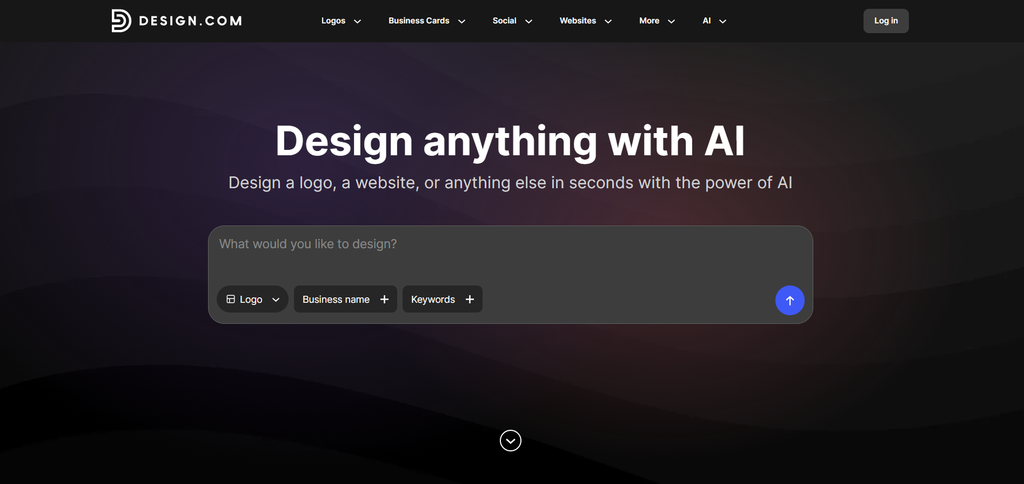
Design.com is an advanced alternative to Looka since it provides numerous templates and uses AI to make the creation process easy for everyone.
With the help of its free tier, you can easily try different templates, customize them easily and download them to use on your social media platforms.
Main Benefits of the Tool
- Templates: There are 500K+ logo templates and more than 1M design templates.
- AI Integration: The platform integrates AI, which includes an AI logo generator, AI website builder, AI business cards, AI flyers, AI posters, AI presentations, AI business name generator, and AI background remover.
- Fonts: There are 750+ fonts, 525+ of which are exclusive.
- Industry: There are hundreds of logos for any industry, so you can easily create one for your needs.
- Ownership: You get 100% ownership and extended licensing over your designs.
- Favorite List: You can add the logos to a favorite list for later use.
- Design Suite: Users can access 50+ design tools that can help to create websites, posters, flyers, presentations, QR codes, letterheads, menus, business cards, and more.
- Support: There is 24/7 customer support through chat and email.
Seeing the Tool in Action
We tested the logo maker based on the following stages.
Stage 1: Generating the logo.
To create a logo, all we needed to do was add the business name and keywords.
Stage 2: Checking the speed and diversity of logos.
The logos were generated instantly without making me wait a second longer. There were so many different logo designs that we could access. What’s more, all of them had interesting elements and details of the chosen field.
Stage 3: Quality-check.
The quality of the logos was professional. They had interesting design elements, coloring, gradients, and shadows that made them unique. Professional designers were involved in the logo creation process, so they were modern and unique.
Stage 4: Customization.
We could change the text, font, colors, and background of the logos, and add elements and animations to make them stand out.
Stage 5: AI Editing
The platform also offers an AI-editing feature where we can tell the AI the additional changes that we want to make and receive them in the shortest amount of time. As you can see in the image above, we asked the AI to add a feather on the head of the icon and got a personalized result in less than a minute.
Stage 6: Preview
We could see how our logo looks on different elements like posters, websites, business cards, and understand if it looks the way we want or if some additional changes are needed.
Small Verdict
As a result, Design.com is a leading alternative to Looka since it provides advanced AI integration, the largest template library, is very easy to work with, and offers different types of customization options so you can get the most personalized outcome.
2.BrandCrowd
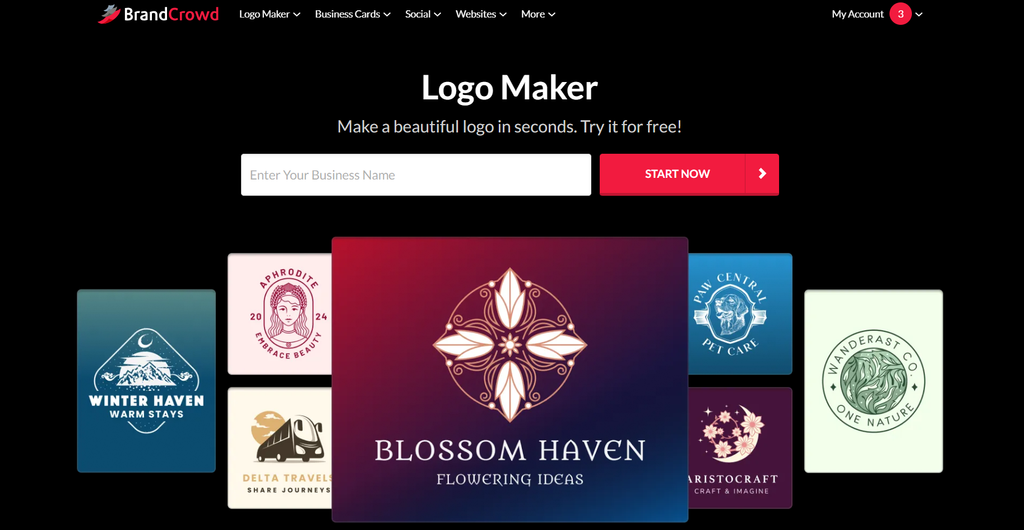
BrandCrowd is another design platform that can help you create any designs that come to your mind in the shortest possible time.
Users do not need to have experience creating designs and can easily customize them in the way they want.
Main Benefits of the Tool
- Templates: There are 380K+ logo templates and over 1 million design templates.
- AI-Powered: The AI integration gives access to an AI logo generator, AI business name generator, and AI background remover.
- Shapes: There are 62K custom, vector shapes that you can access.
- Beyond Logos: You can create any design using 50+ design tools, including presentations, business cards, posters, social media posts, flyers, and much more.
- Voting Poll: Share your ideas with teammates and gather their opinions.
- Support: You get 24/7 email and chat support.
- Commercially Safe: You can use the logos for any personal or promotional purposes; you have 100% ownership of them.
Seeing the Tool in Action
Here are some stages that we went through during the logo generation:
Stage 1: Creating the logo
With BrandCrowd, we only needed to add the business name and keyword and could already see the ready-to-use logos.
Stage 2: Speed and Variety
The logos were generated immediately, and there were different templates that we could use to see which designs we liked more.
Stage 3: Quality
The logos had professional quality and interesting details and designs that could make the logo grab the customers’ attention.
Stage 4: Customization
We could change the font, color, and background; add animation, shapes, and make unique changes with the AI editing feature.
Stage 5: Preview
We could see how the logo looks as a wallpaper, on the poster, business cards, and more.
Small Verdict
BrandCrowd is a top alternative for Looka since it offers diversity in design, advanced customization, AI integration, numerous fonts and shapes to make the edits even more unique.
3.DesignEvo
DesignEvo is an AI-powered design platform allowing you to create logos based on your needs and customize them.
Main Benefits of the Tool
- Templates: There are 10K templates that users can access.
- Fonts: 100+ fonts in various styles are available.
- Files: Download the logos in SVG and PDF files.
- Ownership: You can get full copyright ownership of your logo.
- Create Logos For: You can create logos for your social media profile, app, business, company, organization, website, and more.
Seeing the Tool in Action
There are a few stages that we used to generate our logos with DesignEvo:
Stage 1: Create the logo
Here, we could write the name of the business and generate personalized logos. Also, we needed to choose a field and, based on that, access the available templates.
Stage 2: Accessing the logos and checking the quality
We chose the “art” style, and logos appeared immediately. However, not all of them were based on the field we chose, and they were not personalized to our needs. The quality of the logos was good, but they were old-fashioned, so not very interesting options that would make the business stand out.
Stage 3: Customization
From the editing capabilities, we could change the fonts, background, and add shapes to the logos.
Small Verdict
DesignEvo is an interesting and quick tool to work with, but in terms of quality and unique elements not the top choice.
4.Logo.com
Logo.com is a logo design platform good for easy logo creation and for people from different backgrounds and experiences.
Main Benefits of the Tool
- Templates: You need to enter the business name and can access hundreds of logo templates in seconds.
- Text Styling: You can easily outline, shadow, curve the text, and add bold, italic, and more.
- Icons and Styles: You can generate the logo in Minimal, Illustration, Cartoon, Retro, Isometric, Pixel, Ink, Brush, and other styles.
- AI Images and Text: You can use AI to generate brand imagery that will match your style.
- Commercial License: You can use the logo for ads, packaging, products, and more.
Seeing the Tool in Action
Here are the stages that we went through while testing the tool.
Stage 1: Generate the logos
Here, we started by entering the name, adding the industry, symbols, color palette, the purpose of generating the logo, and waiting for the result.
Stage 2: Checking the speed and diversity.
Logos were created quite fast; some of them had details that reminded the field we chose, but others did not have any interesting elements that made them stand out.
Stage 3: Quality Review
The quality of the logos was average. Some of them had interesting details, but others were overly simple and pale.
Stage 4: Editing
From the customization capabilities, we could change the layouts, color palettes, add the logos to favorites, preview them, or upload some elements we wanted to include.
Small Verdict
Logo.com is a nice alternative to Looka to create logos easily and access the free tier, but it does not provide the best quality and most interesting designs.
5.My Free Logo Maker
My Free Logo Maker is a logo design platform that can help you create logos with different styles and choose the one that best matches your goal.
Main Benefits of the Tool
- No Skills Needed: You do not need to have any design background and can easily work on the platform, as it offers an intuitive interface.
- Idea Exploration: On the platform, you can test different visual concepts and then launch your brand.
- Fast Results: With the help of the AI integrations, the designs are generated quickly.
- Preview: You can view the logo on social media profiles, T-shirts, business cards, and more.
Seeing the Tool in Action
Some of the stages we had while testing the tool included:
Stage 1: Generating the logos
Here, we entered the logo name, field, and our purpose, chose the styles we liked, selected symbols, and waited for the logos.
Stage 2: Speed and field match
Then the logos were generated pretty quickly; some of them had elements that reminded us of the field, but, unfortunately, not all of them.
Stage 3: Quality
The logos had good quality and some interesting details, but some of them were very simple and without unique elements.
Stage 4: Customization
We could change the colors, background, slogan, and symbols, add them to favorites, and preview the logos.
Small Verdict
My free logo maker is a nice tool for quick design, different template access, and is good even if you do not have any design background.
6.Logopony
Logopony is an AI-powered logo-making platform that provides different designs in a short amount of time.
Main Benefits of the Tool
- AI-Powered: The AI is integrated to generate different logos very quickly.
- Branding Package: You can see the logo on T-shirts, cups, business cards, bags, and more to see what it looks like.
- No Design Skills: You can work on the platform even without a design background.
- Branding Suite: You can create a website, business cards, social media posts, and more.
Seeing the Tool in Action
Some of the stages we went through are:
Stage 1: Generating the logos
Here, we entered the logo name, a small description, and waited for the logos to be generated.
Stage 2: Speed and Quality
The logos were generated quite quickly. Many of them had elements that reminded me of the field, but they were pretty repetitive. The quality was average; they had simple designs and sometimes pale coloring.
Stage 3: Customization
We could change the font, colors, frame, symbols, background of the logos, and their layout.
Small Verdict
Logopony is quick to work with logo makers but offers repetitive designs, so it will be difficult to choose the logo that will make you stand out.
7.Brandmark.io
Brandmark is a logo and brand identity generator that can help you create visual assets in minutes.
Main Benefits of the Tool
- AI Integration: You can use the integrated AI to create a unique icon.
- Branding: You can create brand guides, websites, social profile icons, social media designs, presentations, and more.
- Copyright: You get full commercial rights over the design.
- Revisions: You can modify the logo even after purchase.
Seeing the Tool in Action
Some of the stages that we experienced are:
Stage 1: Creating the logo:
We entered the business name, chose the color style, field, and waited to see the results.
Stage 2: Variety and Quality
There were limited options to choose from. They mostly did not have elements that reminded us of the chosen field. Logos were of good quality; they had interesting elements and vibrant colors.
Stage 3: Editing
We could change the logo by altering its colors, size, alignment, icons, layout, background, and more.
Small Verdict
BrandMark is an interesting tool to work with and one that has good quality, but not in all cases does it provide the variety users might look for.
8.FreeLogoDesign
FreeLogoDesign is a web-based design platform for people looking to build a brand identity quickly and without much effort.
Main Benefits of the Tool
- Templates: You can choose from 65+ logo categories and get templates that you can experiment with.
- Icons: There are millions of icons, so you can easily customize the design.
- Industry: You can choose logos based on the industry and create for the field you aim for.
- No Experience: You do not need any experience for the logo creation.
Seeing the Tool in Action
Some of our logo generation stages were:
Stage 1: Create the logos
We entered the business name and the keyword and waited for the logo results.
Stage 2: Variety and Quality
The logos were generated quickly; they had interesting designs, unique colors, and professional quality, and could make your brand look unique among competitors.
Stage 3: Customization
We could change the template, icons, text, colors, and use AI to make some personalized changes.
Small Verdict
FreeLogoDesign is an interesting platform with good quality designs; however, it doesn’t offer much variety in templates.
Main Takeaway
There are different tools available on the market that can make great alternatives to Looka.
These platforms are easy to use for people from different backgrounds and have customization capabilities.
However, as a result of our testing, we found out that not all of these platforms shine in quality and diversity of designs.
After the test, we have identified our list and would recommend you start with Design.com as a top platform. It offers the largest template library, advanced AI integration, a complete design suite, and customization options.
Another solid option is BrandCrowd since it is easy to use, provides a huge library of logos, and offers advanced customization capabilities.
Test the platform on your own and choose the one that becomes the best choice for your own case.